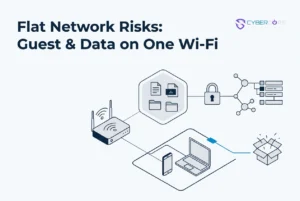


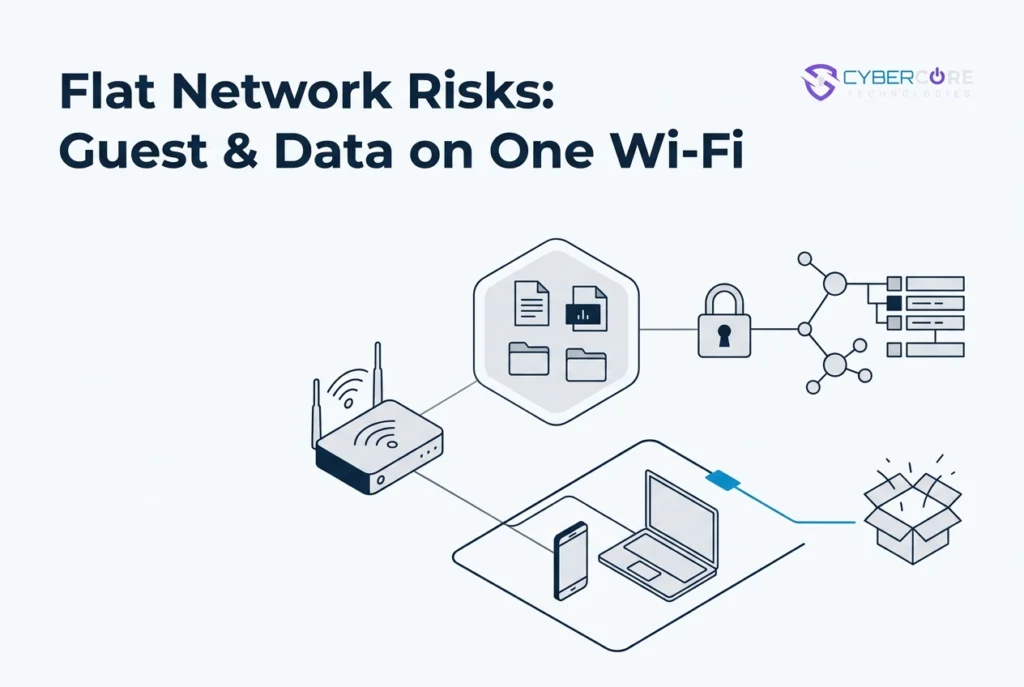
Most offices with 10 to 50 people have one wifi router, one password, and every device on the same network. Staff laptops, the front desk printer, the waiting room TV, and the Wi-Fi you hand to clients or patients all share the same path. That setup is convenient, but it treats a visitor’s phone and a device that holds client data as trusted equals.
This post looks at why that flat network creates risk and why buying a better router or mesh Wi-Fi system does not fix it. We will walk through the one-router office many central Iowa practices and firms actually have, what segmentation means in a real Des Moines, Norwalk, West Des Moines, Ankeny, Altoona, Urbandale, or Waukee workspace, and what the change costs in disruption. We will also cover what an auditor or cyber insurer expects to see and why the answer starts with network design, not another device.
CyberCore Technologies helps clients build and maintain compliant programs. This is not about fear. It is about making a deliberate design choice so guest traffic stays separate, staff and clinical devices stay protected, and the configuration can be documented.
The One-Router Office You Probably Have
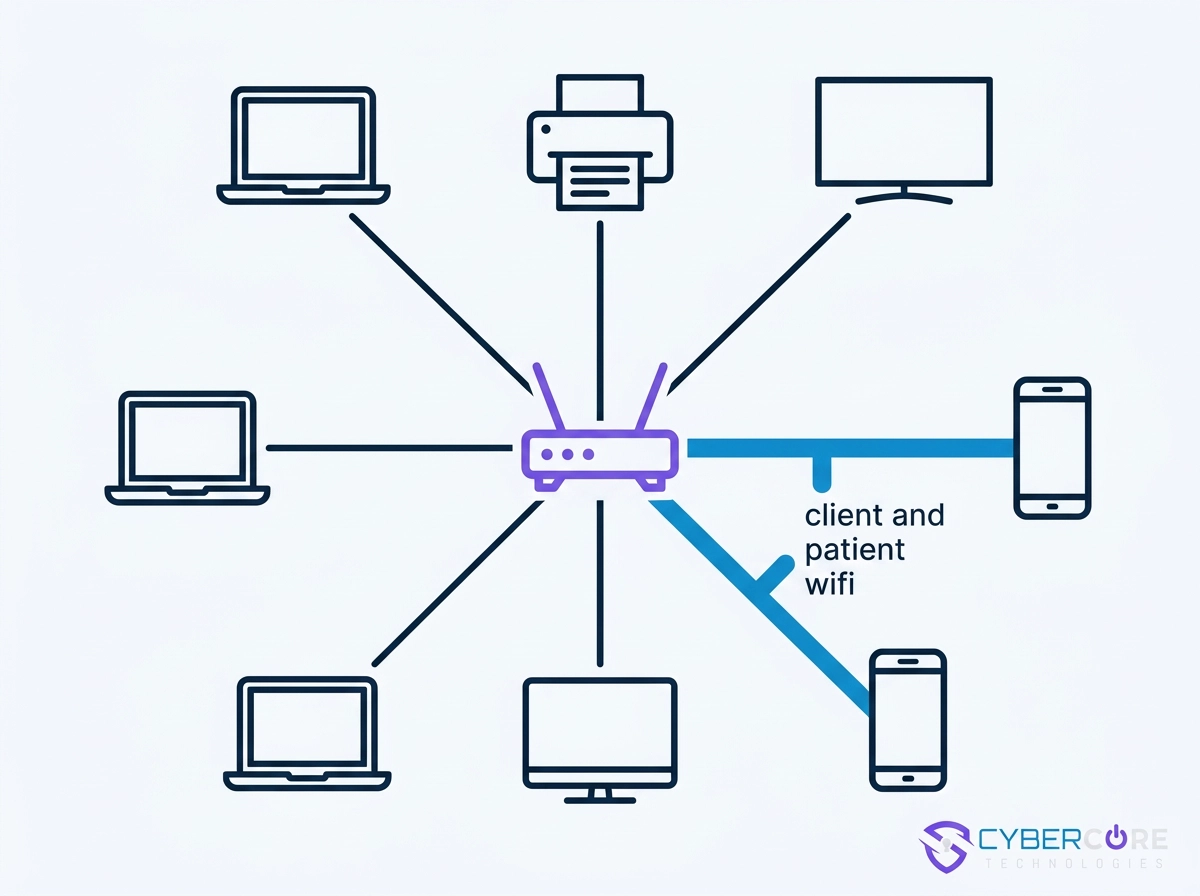
Picture a 12-person office in Norwalk or Ankeny: staff laptops, a front-desk printer, a waiting-room TV, and client and patient wifi on one wifi router and one password. Nobody designed it that way; it grew from one router and one password.
That password gets shared calmly and constantly: a new hire, a cleaning crew, a patient waiting for the wifi. It’s what phishing emails go after.
From the front desk, everything looks orderly. At the network level, every device on that password sits in the same room as every other, no walls between them.
Law firms, healthcare and therapy practices, and accounting offices in West Des Moines, Urbandale, Waukee, and Altoona see the same setup: one entry point, one credential, no internal boundaries. That is a flat network.
Why a Flat Network Puts Client Data at Risk
On a flat network, every device trusts every other, so a compromised device does not stay in its room.
A waiting-room TV, a guest phone, or a vendor laptop can reach shared folders, printer queues, and the front-desk practice management system.
One shared password means no one can tell which device belongs to whom, making incident investigation guesswork.
Regulation reflects this. HIPAA-covered practices must protect electronic protected health information against reasonably anticipated threats, and NIST’s resource guide for the Security Rule (SP 800-66r2, February 2024, replacing the 2008 version) treats access control and network safeguards as part of that work. A documented HIPAA risk analysis is where investigators start. Businesses under the FTC Safeguards Rule need a written information security program covering network access. That is also where endpoint detection and response helps.
This rarely requires a dramatic attack: a misconfigured printer, an unlocked front-desk session, or a saved password on a departed employee’s phone is enough.
Why a Better Wi-Fi Router or Mesh Wi-Fi System Does Not Fix This
A new wifi router or mesh wifi system can genuinely improve coverage, speed, and roaming. Those are real gains, not separation.
Most modern routers offer a guest network option. Turning it on is not the same as deciding where guest traffic goes and what it can reach.
A mesh wifi system spreads one network across more square feet, often carrying your flat network closer to the waiting room.
The common mistake is moving staff onto the guest network for convenience. That relocates the problem instead of solving it.
Our professional assessment, based on the designs we build and maintain for central Iowa offices: replacing the device is a purchase, while segmentation is a design decision. The new router does not change who can reach whom.
Here is a quick test. If you cannot say whether a device in your waiting room can reach the printer at your front desk, a faster router has not answered the question.
What a Segmented Network Looks Like in a Real Central Iowa Office
In practice, separation looks like this.
Guest traffic gets its own network and its own password, so a patient, client, or visitor never joins the network your staff uses.
Staff and clinical devices stay off visitor access. Laptops, workstations, and anything touching client records sit on a network guests cannot join.
Device-to-device traffic is restricted where it serves no purpose. The waiting-room TV, a personal tablet, or a vendor laptop should not reach the printer queue or a shared folder.
Administrative access is separated from everyday use, so a compromised staff login is not control of the network.
The layout is documented: which device sits where, what may talk to what, and who approved it. That record turns a setup into a design. Staff habits get the same treatment through security awareness training.
In a small office, this usually means one router or firewall doing more careful work, not a rack of equipment. The boundaries matter, not the size.
What the Change Actually Costs in Disruption
Designing those boundaries is planned work, not a same-day swap.
It starts with an inventory: which devices exist, which hold or touch client data, and which are conveniences.
The cutover happens after hours so staff and patient-facing systems stay up during the business day. Some offices keep the hardware they already own and change its configuration. Others need a device that supports separate networks. The design decision comes first; the hardware follows it.
Expect a short reconnect list: printers, phone systems, badge readers, and anything with a saved wifi password.
Onboarding moves in phases, and support expectations come from your service agreement rather than a promise of instant availability. Our managed IT services in Des Moines page describes what those phases include.
One person on your team should own front-desk wifi questions during the switch, since that is where guests ask.
What an Auditor or Cyber Insurer Expects to See
Then comes the proof. Auditors and insurers want evidence of a security program, not good intentions, and a written network description is among the easiest pieces to produce. For HIPAA-covered practices, the Security Rule requires reasonable and appropriate administrative, physical, and technical safeguards, including access control, for electronic protected health information. NIST SP 800-66r2 (February 2024) is the resource guide many practices use.
Under the FTC Safeguards Rule, the written information security program must be maintained and updated, not filed away. When an insurer asks how visitor traffic stays clear of client-data systems, a documented design answers in a sentence. CyberCore Technologies helps clients build and maintain these programs, including security awareness training that supports the same plan. We do not guarantee compliance, and rule questions belong with your counsel.
Start With the Design, Not the Device
Keep shopping for that wifi router or mesh wifi system. Ask what it does for separation, not just coverage.
Then answer three questions about your office. Can a guest device reach your systems? Can your devices reach each other? Who can hand you the configuration in writing?
If waiting-room devices share a network with the systems holding client records, revisit that decision first. See what a master’s in cybersecurity means for your business when you weigh who should advise you.
CyberCore Technologies designs and manages networks from our Norwalk office for practices and firms across the Des Moines metro and central Iowa. Get in touch for a plain answer about whether your office is flat.
Conclusion
A flat network is usually the default, not a decision. If guest devices, staff laptops, and the systems holding client records share one wifi router, separation is already a question worth answering. A faster router or a mesh system improves coverage, not boundaries. What reduces risk is a documented, segmented design that keeps visitor traffic away from client data, along with the safeguards your insurer or auditor expects to see in writing.
Start with three questions: Can a guest device reach your systems? Can your devices reach each other? Who can hand you the configuration in writing?
CyberCore Technologies designs and manages networks from our Norwalk office for practices and firms across the Des Moines metro and central Iowa. Get in touch for a plain answer about whether your office is flat.