

Most 15-person offices don’t have a security problem because they bought the wrong tool. They have one because nobody wrote down who does what. Think about the last security prompt or alert your team saw. Did anyone know whether they were supposed to act on it, or was everyone quietly hoping it was someone else’s job?
That’s the gap this post is about: the unowned routine. A tool can be installed and still go unused. A backup can run and never be tested. The fix usually isn’t a bigger stack of software. It’s a short list of recurring security tasks, each with a named owner and an honest estimate of how long it takes each week. At CyberCore Technologies, we help small offices in central Iowa work through exactly this.
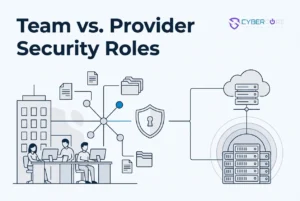
We’ll walk through why an unowned routine is the real gap at a small office, three questions that settle who owns any security task, five routines your non-technical team should actually handle, a realistic weekly time budget, what belongs with your managed security provider, how to write that split into your service agreement, questions office managers ask us, and how to start with one page and five names.
The Real Gap at a Small Office Is an Unowned Routine, Not a Missing Tool
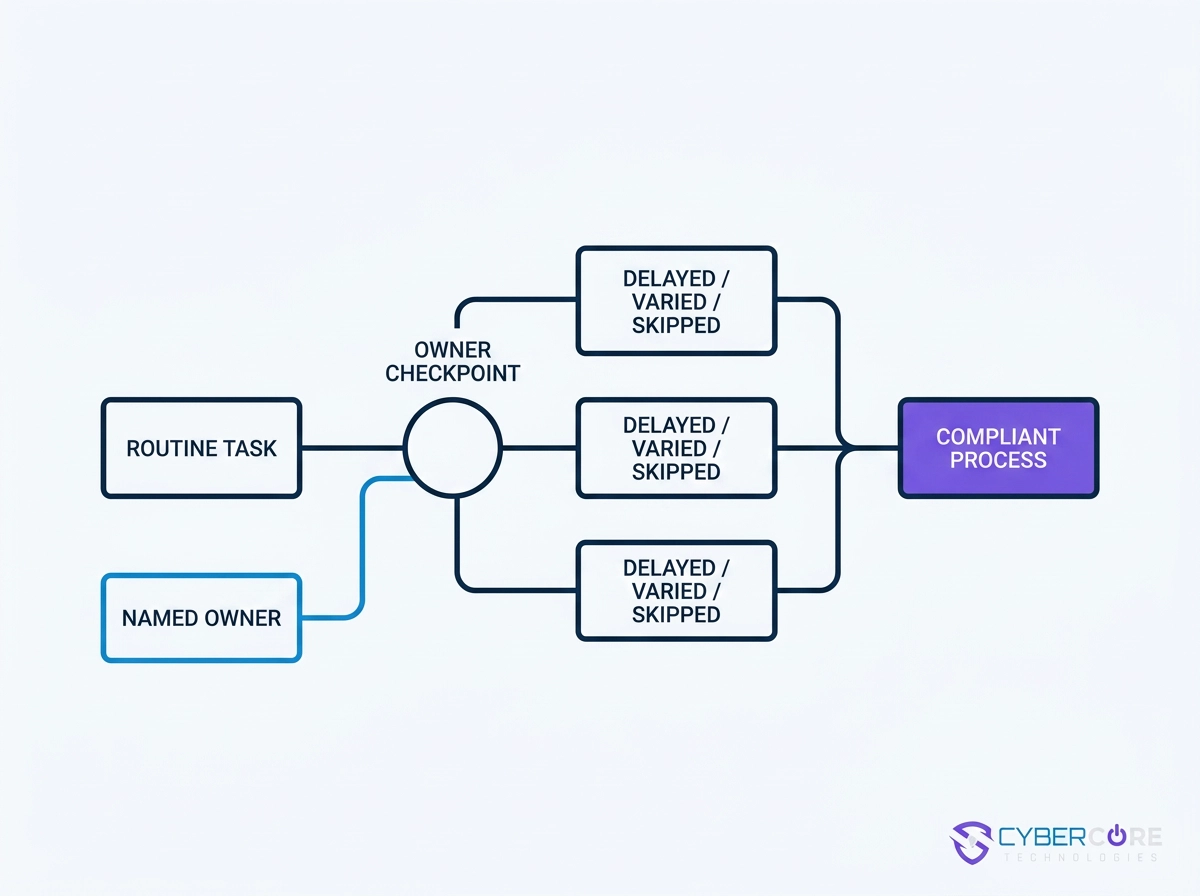
At most 15-person offices, the gap is rarely a missing product. It’s a task nobody was assigned to watch. Unnamed, it gets handled late, differently by whoever notices, or skipped during a busy month. That’s a process problem, not a people problem.
Regulators increasingly expect a named owner, too. The FTC Safeguards Rule requires designating a qualified individual to oversee the information security program, and it applies to more Iowa businesses than many owners assume. Confirm the wording on the FTC’s own guidance page; application questions belong with your counsel. Healthcare practices face similar expectations for a documented risk analysis.
The fix is short: five named owners in the office, one written agreement for the rest.
The Ownership Test: Three Questions That Settle Any Security Task
Three questions settle any recurring security task.
- Does it need a decision only someone here can make? Approving a login on your own phone is the case. If yes, someone on your team owns it.
- Does it need a system, console, or credentials your team lacks? Then it belongs with your provider. What Your IT Provider’s Cybersecurity Credentials Mean for Your Business is worth knowing.
- If it stalls this week, does anything break that the office would notice? Routines with visible consequences sit with the front desk or office manager.
Write ownership down once instead of re-deciding on a rushed Tuesday morning. The test works for a non-technical team because it asks who can act, not who knows the most.
Five Security Routines Your Non-Technical Team Should Actually Touch
So five routines stay in-house.
- Approve multi-factor prompts. Owner: employee. Seconds per prompt, minutes weekly. Never share codes or approve untriggered prompts (CISA).
- Use the shared password vault. Owner: the office manager. Rotating a credential takes minutes; keep it out of spreadsheets.
- Click the report button. Owner: recipient; the front desk is the default place to ask. Reporting takes under a minute; reviewing is provider work.
- Report a lost or stolen device. Owner: the employee first, the office manager second. Same day, so access can be cut quickly. See first 30 minutes after a suspected cyberattack.
- Request a restore from backup. Owner: the office manager or daily-operations lead. Gathering what was lost takes minutes; the provider runs it.
A Realistic Weekly Time Budget for That List
Once those routines have names, the time cost is small. Across all five, a 15-person office typically spends minutes per week, not hours. That is our own observation from small client offices, not a published study.
The expensive part isn’t the minutes. It’s the confusion that grows when nobody is sure who handles what.
Write the estimate down in one place. It answers the owner who assumes better security means a second full-time job. Keep the list short on purpose, since a long one gets ignored within a month. Review it quarterly, and whenever someone leaves, account management guidance so their routines get a new owner instead of quietly disappearing.
What Belongs With Your Managed Security Service Provider
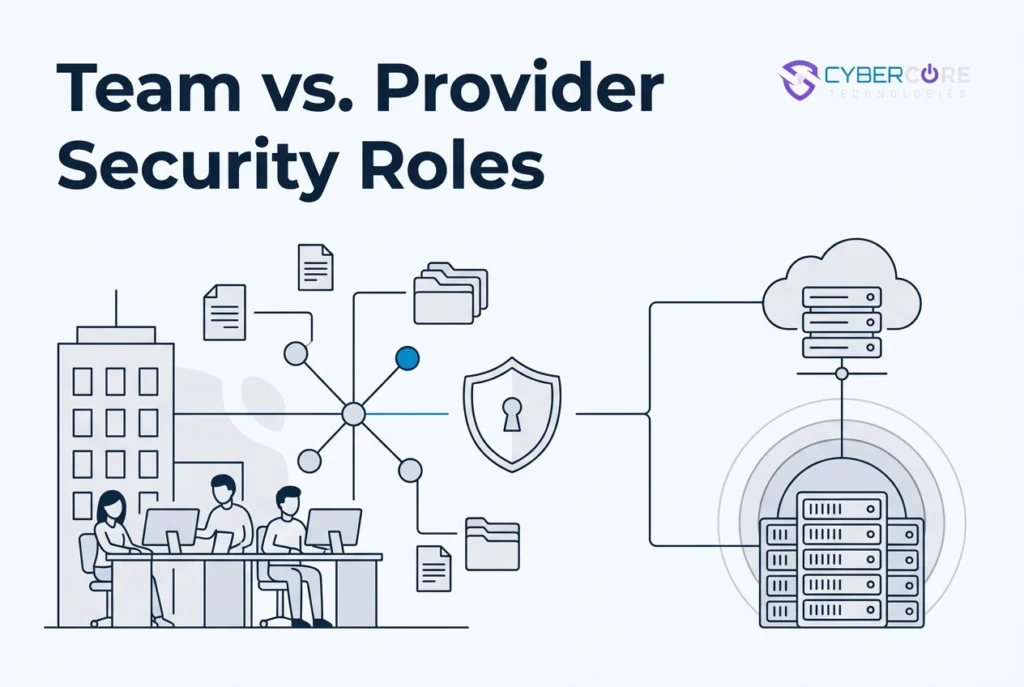
The heavy lifting never lands on your desk. Five jobs belong with your provider. Keep Your IT Team. Add a Security Team. explains how the two sides work together.
- Email filtering and cloud application security. Your provider sets the rules, tunes them as threats shift, and reviews what they catch.
- Patching and vulnerability management. Systems, browsers, and apps stay current on a schedule, with items tracked until they’re done.
- Monitoring and response around the clock. Alerts need someone watching Saturday night. CyberCore includes continuous coverage at every tier, never as an add-on.
- Logging. Security logs belong where your provider reviews them, not on a machine the office can wipe.
- Admin credentials. Your provider controls the highest-privilege accounts, not shared logins or new hires.
Put the Split in Writing in Your Service Agreement
With that split in mind, ask for a one-page responsibility matrix: each routine with one named owner, your office or your provider. Email filtering, patching, monitoring, logging, and administrative access should appear by name. Anything unowned is the real gap, and assumptions do not fill it.
Tie support expectations to your agreement, not a promise, and read it before the first invoice. See Relationship to Service Agreements. Expect onboarding in phases, with provider-side coverage arriving in planned order.
Document regulatory obligations here too. CyberCore Technologies helps clients build and maintain compliant programs for HIPAA, PCI DSS, and the FTC Safeguards Rule. We do not guarantee compliance, and questions about a rule’s requirements belong with your legal counsel.
Questions Office Managers Ask Us
Do we need security staff? No. A named owner for a few routines; a provider covers the rest.
How many tools should staff touch? Five: multi-factor prompts, a password vault, a report button, lost-device reporting, restore requests.
We have email filtering and antivirus. Are we covered? Only if someone reviews them and applies updates. Antivirus alone no longer cuts it; coverage nobody watches is not coverage.
Is a managed security service provider worth it at 15 people? It depends on your data and obligations. HIPAA, FTC Safeguards, PCI DSS practices gain most from documented, continuous coverage.
Can we keep everything in-house? You own the office side. Patching, monitoring, logging, and admin access need coverage outside office hours.
Start With One Page and Five Names
Make the split concrete on one page. List the five routines your team owns with one name beside each: approving multi-factor prompts, the shared password vault, the report button for suspicious email, lost-device reporting, and restore requests. Note the realistic weekly time next to each, minutes rather than hours, so the list stays honest and short.
Move email filtering, patching, monitoring, logging, and admin credentials into your provider agreement with a responsibility matrix attached. Review the page every quarter and whenever a role changes.
If your office is in Norwalk, Des Moines, West Des Moines, Ankeny, or central Iowa and you want help drawing the line, CyberCore Technologies would be glad to talk it through. No pressure, no obligation.
Conclusion
Security at a 15-person office isn’t about buying one more tool. It’s about naming who owns each routine, keeping the list short, and making the split between your team and your provider clear. Your team should touch the daily human tasks: approving MFA prompts, managing the shared password vault, reporting suspicious email, reporting lost devices, and asking for restores. Your provider should run email filtering, patching, monitoring, logging, and admin credentials.
Put this on one page with five names and realistic weekly minutes. Attach a responsibility matrix to your service agreement, then review it every quarter or when roles change.
If you’re in Norwalk, Des Moines, or central Iowa and want help drawing the line, CyberCore Technologies would be glad to talk it through. No pressure, no obligation.